ShapeWorks Studio Optimize Module
The Optimize module provides options for the particle-based optimization. After selecting options and clicking "Run Optimize", you can monitor the process of the optimization in real-time. Particle positions will be displayed on individual shapes as they progress where color encodes surface correspondences across different shapes in your cohort.
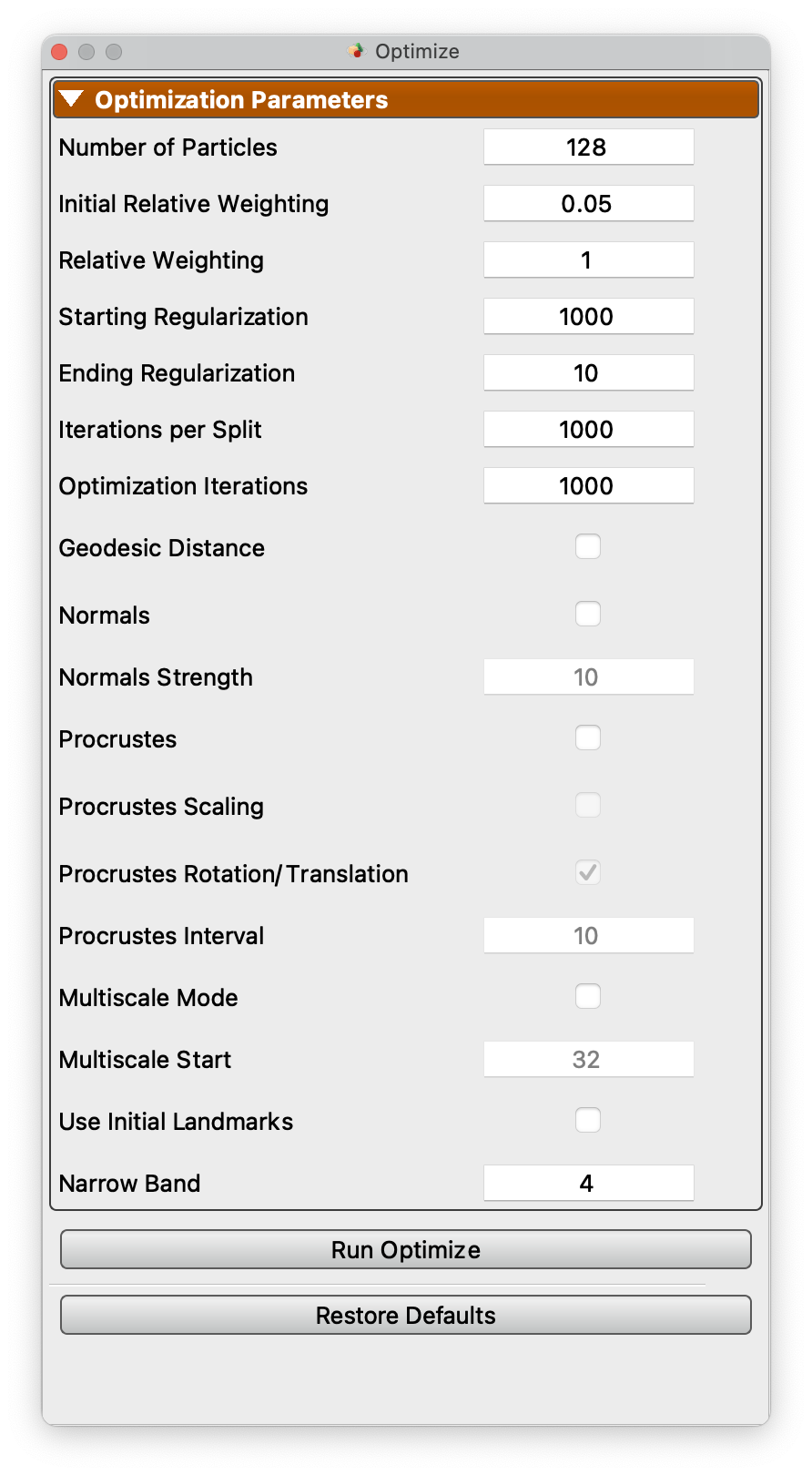
Optimization Parameters
| Parameter | Description |
|---|---|
| Number of Particles | The desired number of particles to be placed. ShapeWorks will produce the smallest power-of-2 number of particles greater than or equal to the given value |
| Initial Relative Weighting | The relative weight of the correspondence term in the initialization steps to make sure that optimization steps start with evenly spaced particle distributions that cover the entire surfaces (usually in the order of ~0.1 or 0.01) |
| Relative Weighting | The relative weight of the correspondence term in the optimization steps. |
| Starting Regularization | Sets the starting regularization value. See details about regularization here |
| Ending Regularization | Sets the ending regularization value. See details about regularization here |
| Iterations per Split | The number of iterations in the initialization step for each split (i.e., scale) |
| Optimization Iterations | Number of iterations for each optimization step. |
| Narrow Band | Number of voxels surrounding zero level for distance transform based optimizations. Normally a value of 4 is sufficient |
| Geodesic Distance | Enable the use of geodesic distance for particle to particle interactions. This is much slower, but can help with some complex structures |
| Geodesic Remesh Percent | Percentage of vertices to use when remeshing for geodesic computation (default: 100). Lower values speed up geodesic calculations |
| Normals | Enable the use of surface normals as a correspondence feature |
| Normals Strength | Amount to scale surface normals feature to give it enough weight relative to XYZ |
| Geodesic from Landmarks | Compute geodesic distance fields from landmarks and use as a correspondence attribute |
| Geodesic Landmarks Weight | Weight for the geodesic-from-landmarks correspondence term (default: 1.0) |
| Mesh Scalars | Scalar fields carried by the meshes (thickness, curvature, and the like) that can be used as correspondence features. A row appears for each field found on the meshes; check the ones to use. Mesh inputs only |
| Mesh Scalar Weight | Amount to scale a mesh scalar field to give it enough weight relative to XYZ (default: 1.0) |
| Multiscale Mode | Enable multiscale optimization where each particle split level after the multiscale start number runs in both initialization and optimization modes |
| Multiscale Start | Number of particles to begin multiscale mode |
| Shared Boundary | Enable shared boundary correspondence for multi-domain models with shared surfaces |
| Shared Boundary Weight | Weight for the shared boundary correspondence term (default: 0.5) |
| Use Initial Landmarks | Enable the use of landmarks as starting particles |
| Procrustes | Enable use of Procrustes registration as part of optimization |
| Procrustes Interval | Interval of iterations to run Procrustes |
| Procrustes Scaling | Enable scaling as part of Procrustes to remove overall scale from the model |
| Procrustes Rotation/Translation | Enable Procrustes rotation/translation to remove translation/rotation from the model |
| Sampling Scale | Enable per-domain particle density scaling for multi-domain models. When Auto Scale is checked, the multiplier is computed automatically based on domain surface areas |
| Sampling Scale Multiplier | Multiplier for particle sampling density scaling (used when Auto Scale is unchecked) |